Everything You Need to Master Your Finances
A complete suite of powerful tools designed to give you total financial control
Smart Expense Tracking
Lightning-fast expense entry with categories, banks, cards, and contacts. Tag, search, and filter with ease.
- ✓ Quick entry with keyboard shortcuts
- ✓ Custom categories with tax support
- ✓ Attach receipts and documents
Banks & Credit Cards
Track multiple bank accounts and credit cards. Monitor balances, set default accounts, and manage all your finances in one place.
- ✓ Accounts & Cards
- ✓ Real-time balance tracking
- ✓ Transaction reconciliation
Split Bills & Activities
Share expenses with friends, roommates, or travel groups. Track who owes what with flexible split options.
- ✓ Equal, percentage, or custom splits
- ✓ Settlement tracking & reminders
- ✓ Group activity management
Budgets & Goals
Set spending limits, create savings goals, and track your progress. Stay on target with smart alerts.
- ✓ Category-wise budget limits
- ✓ Savings goals with deadlines
- ✓ Progress visualization
Cash Flow Forecasting
Plan ahead with upcoming bills and expected income. Never miss a payment or run into surprises.
- ✓ Future expense planning
- ✓ Recurring item management
- ✓ Due date tracking
Asset Management
Track real estate, vehicles, investments, and valuables. Monitor appreciation and depreciation over time.
- ✓ Multiple asset types support
- ✓ Value tracking & history
- ✓ Purchase & sale recording
Business Partnerships
Manage joint ventures and partnerships with investment tracking, profit/loss distribution, and detailed reports.
- ✓ Partner investment tracking
- ✓ Profit & loss distribution
- ✓ Multi-partner support
Custom Reports & Analytics
Build custom charts, analyze spending patterns, and generate detailed reports. Export to CSV for tax season.
- ✓ Visual chart builder
- ✓ Multi-dimension analysis
- ✓ CSV export for accounting
Automated Scheduling
Set up recurring expenses like rent, subscriptions, and bills. Let KeepTab create them automatically.
- ✓ Daily, weekly, monthly schedules
- ✓ Auto-create on schedule
- ✓ Execution history tracking
See KeepTab in Action
Beautiful, intuitive interface designed for real-world financial management
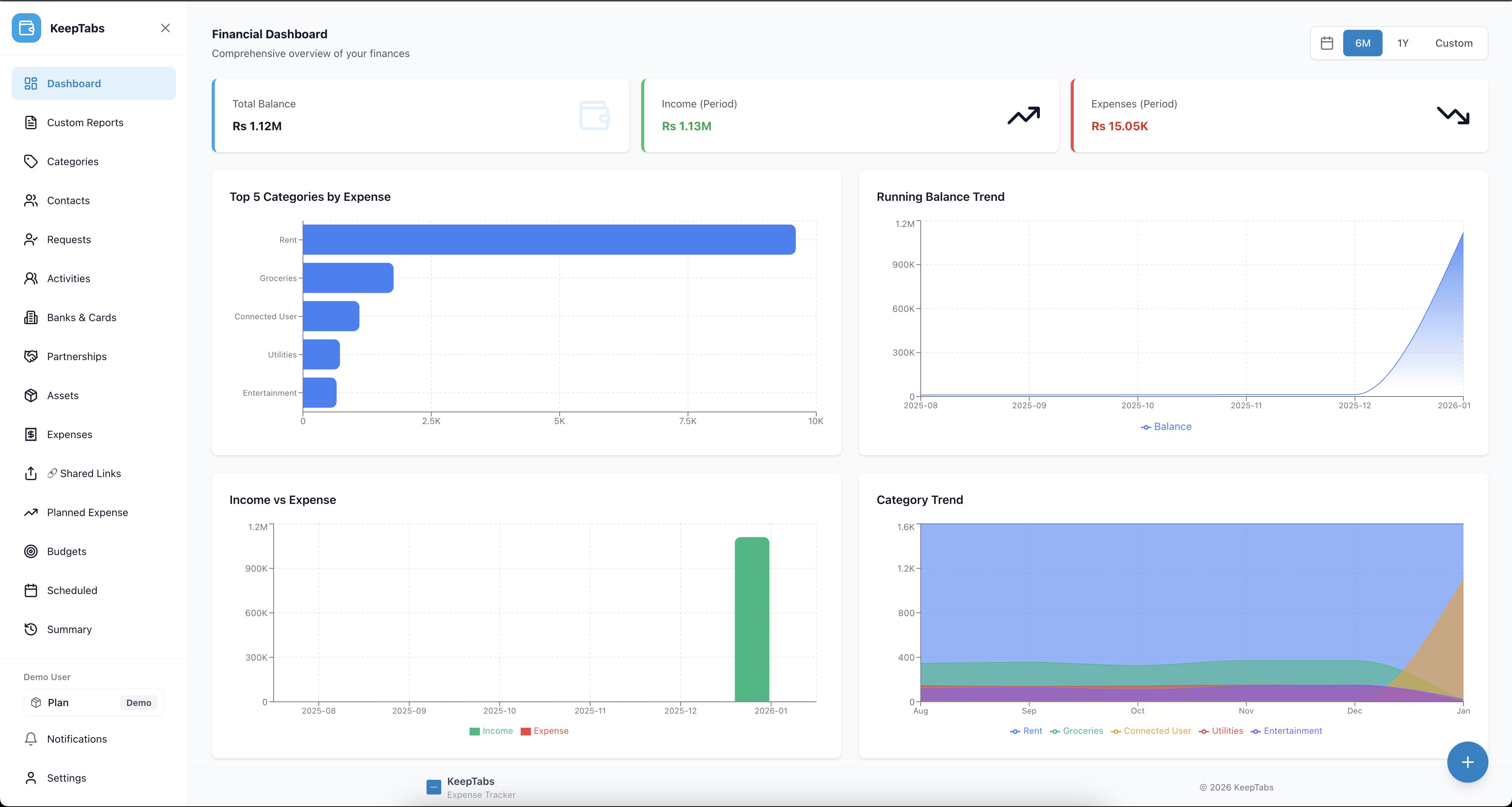
Your Financial Overview at a Glance
Get instant insights with beautiful charts showing your income, expenses, category breakdown, and balance trends. See exactly where your money is going.
- ✓ Real-time balance across all accounts
- ✓ Monthly income vs expense comparison
- ✓ Category-wise spending analysis
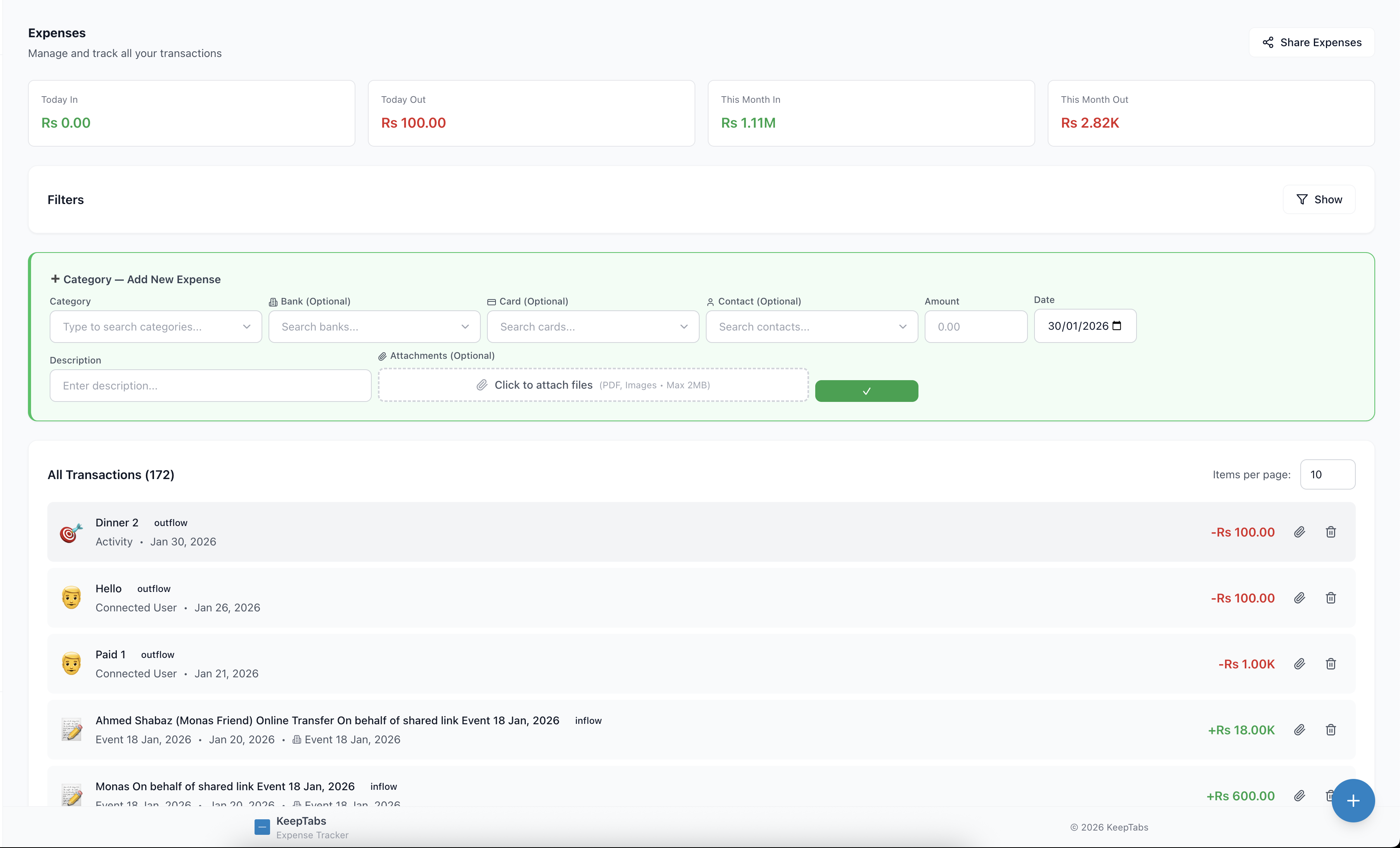
Track Every Dollar Effortlessly
Add expenses in seconds with smart categorization, bank linking, and powerful search filters. Attach receipts and never lose a transaction detail.
- ✓ Quick entry with keyboard shortcuts
- ✓ Filter by date, category, bank, or card
- ✓ Bulk edit and export capabilities
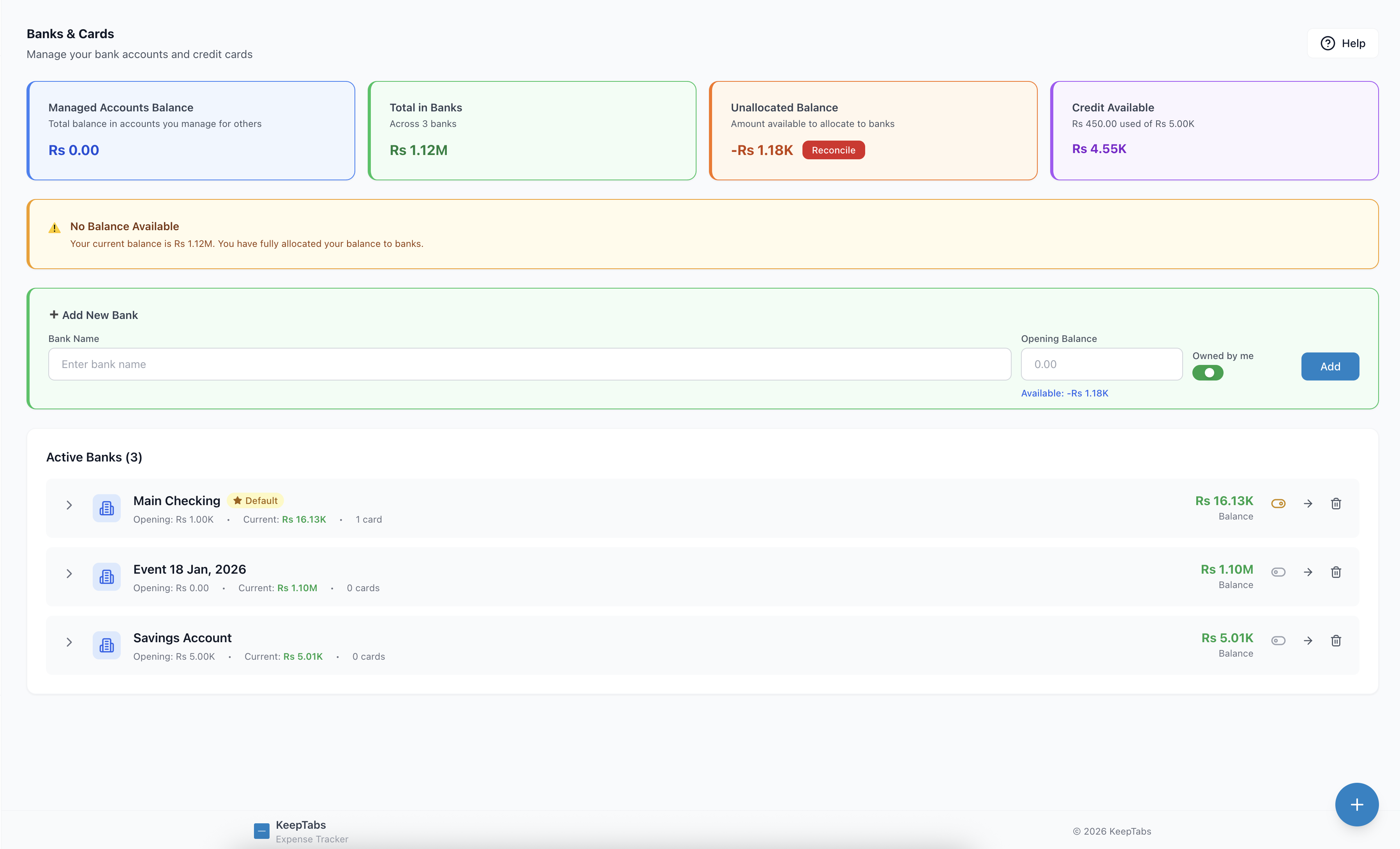
Manage All Your Accounts
Connect unlimited bank accounts and credit cards. Track balances, monitor transactions, and see your complete financial picture in one place.
- ✓ Unlimited accounts and credit cards
- ✓ Real-time balance updates
- ✓ Set default accounts for quick entry
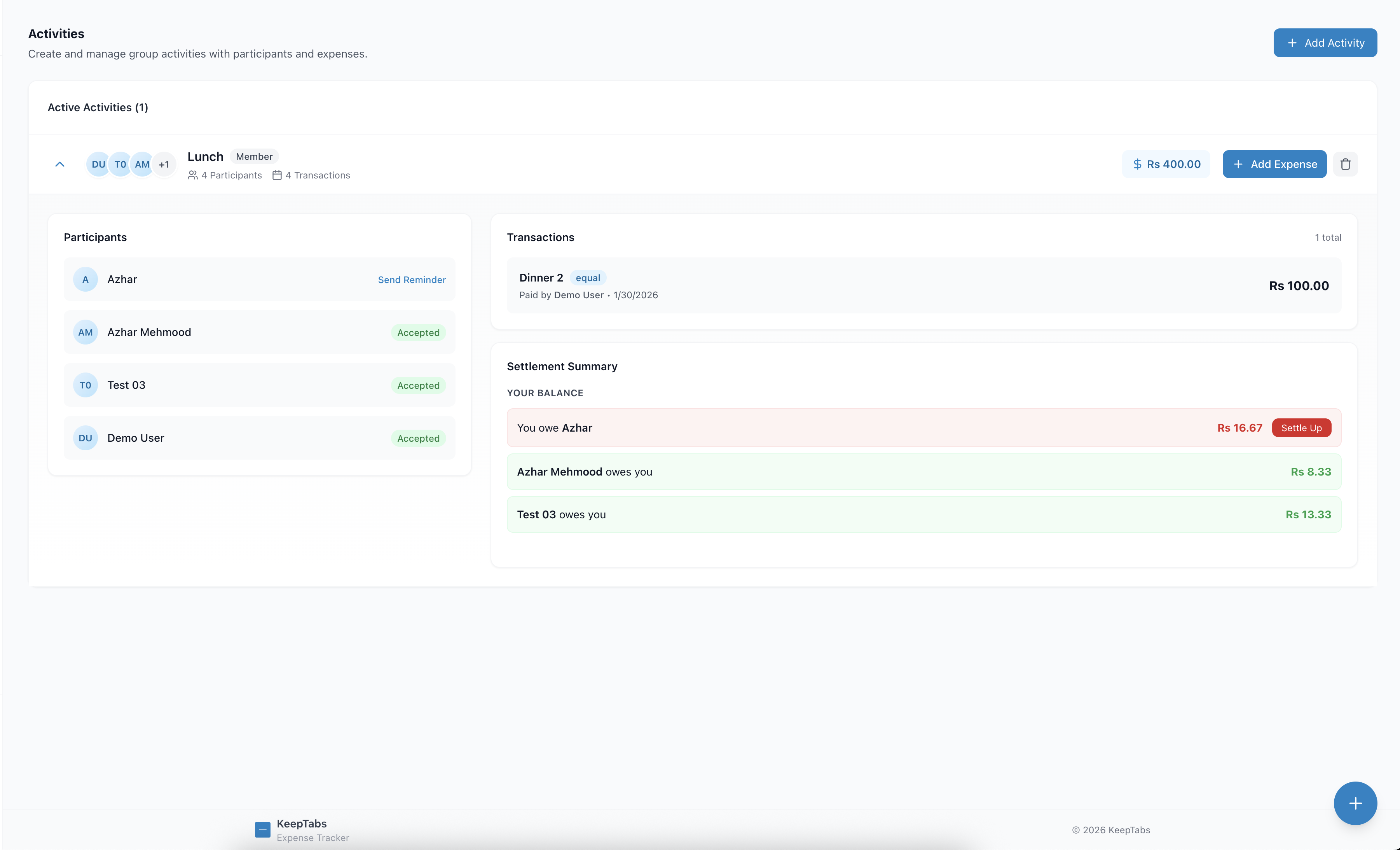
Share Expenses with Anyone
Perfect for roommates, trips, or group dinners. Split expenses fairly with flexible options and track settlements automatically.
- ✓ Equal, percentage, or custom splits
- ✓ Track who owes what in real-time
- ✓ Send reminders for settlements
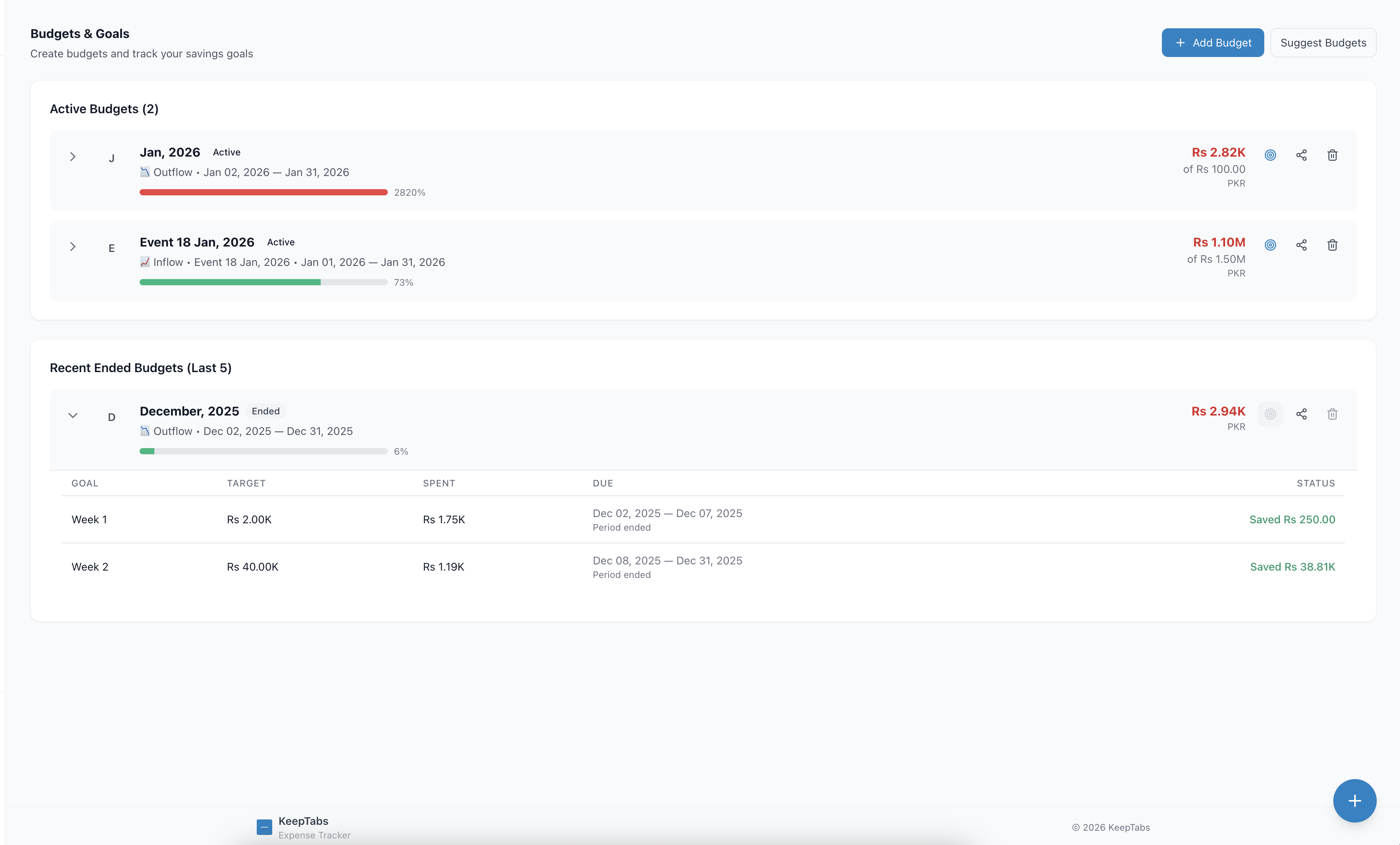
Stay On Track with Your Goals
Set spending limits per category and create savings goals. Get visual progress tracking and smart alerts when you're approaching limits.
- ✓ Category-wise budget management
- ✓ Savings goals with deadlines
- ✓ Progress visualization & alerts
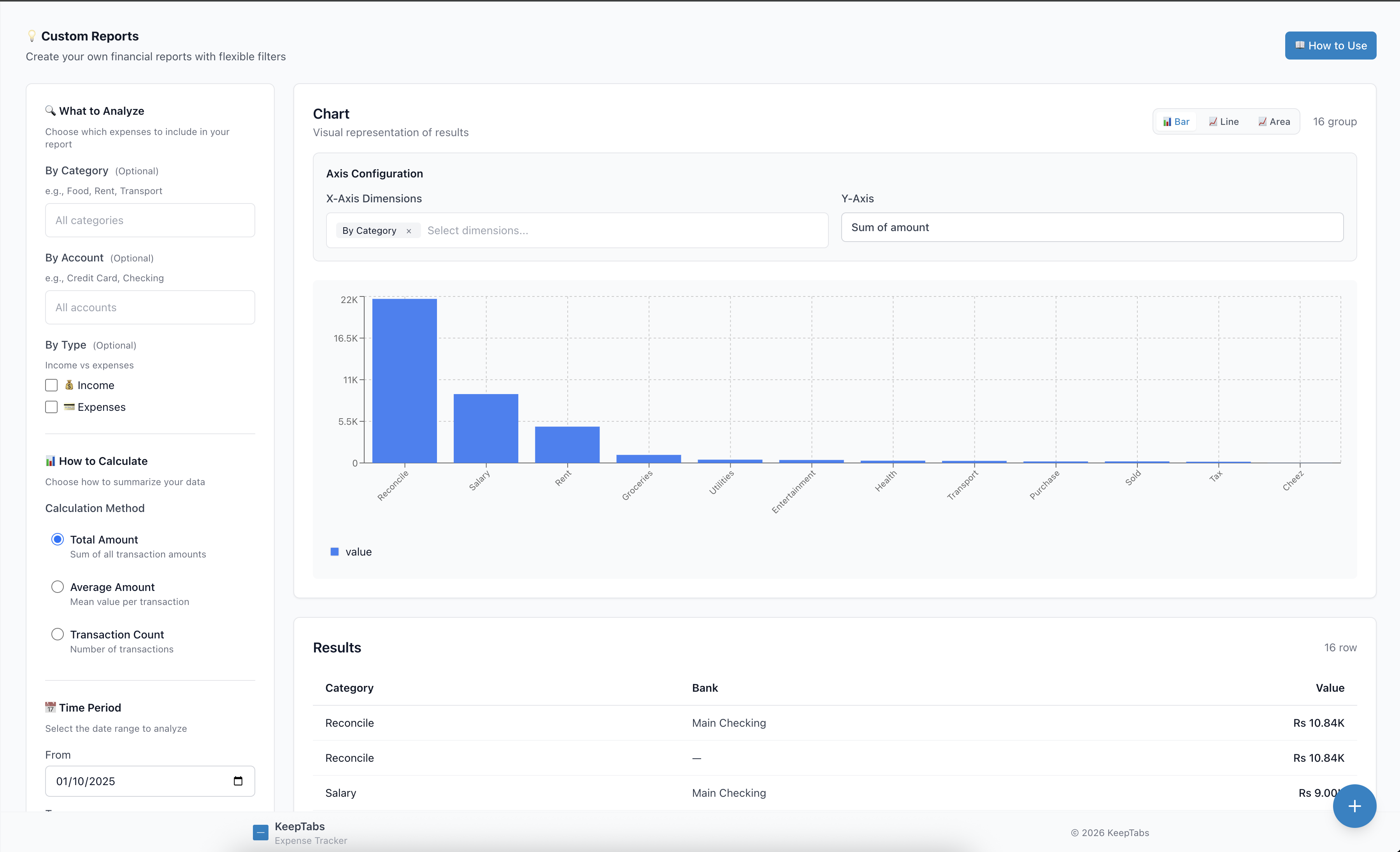
Build Custom Reports Your Way
Create visual charts with any combination of dimensions. Analyze by category, bank, time period, or any criteria you choose.
- ✓ Multi-dimension analysis
- ✓ Bar, line, and area charts
- ✓ Export for tax and accounting
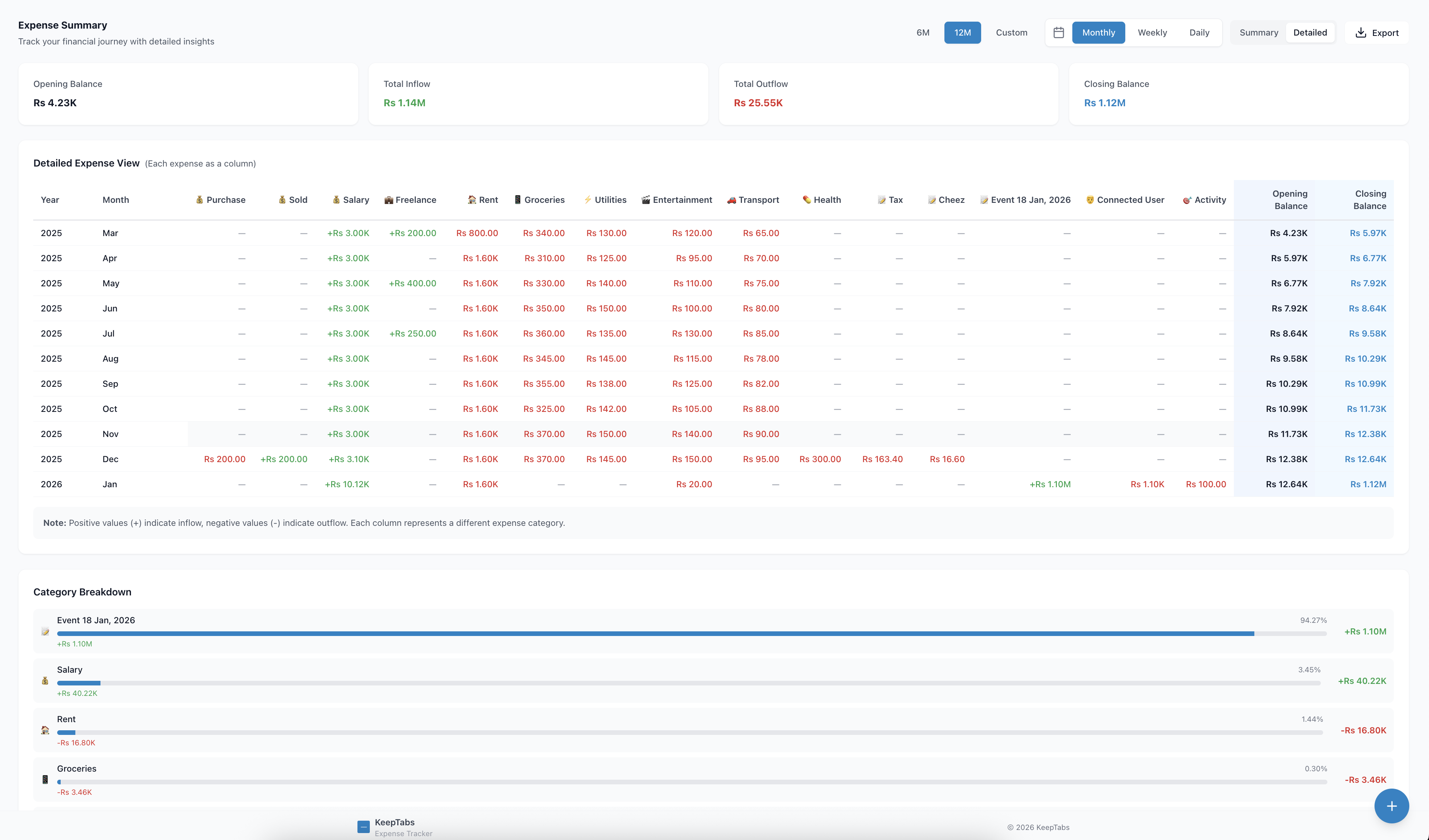
Complete Transaction History
View detailed monthly breakdowns with opening/closing balances, total inflow and outflow. Export everything for your records or accountant.
- ✓ Month-by-month summaries
- ✓ Category-wise breakdowns
- ✓ CSV export for accounting
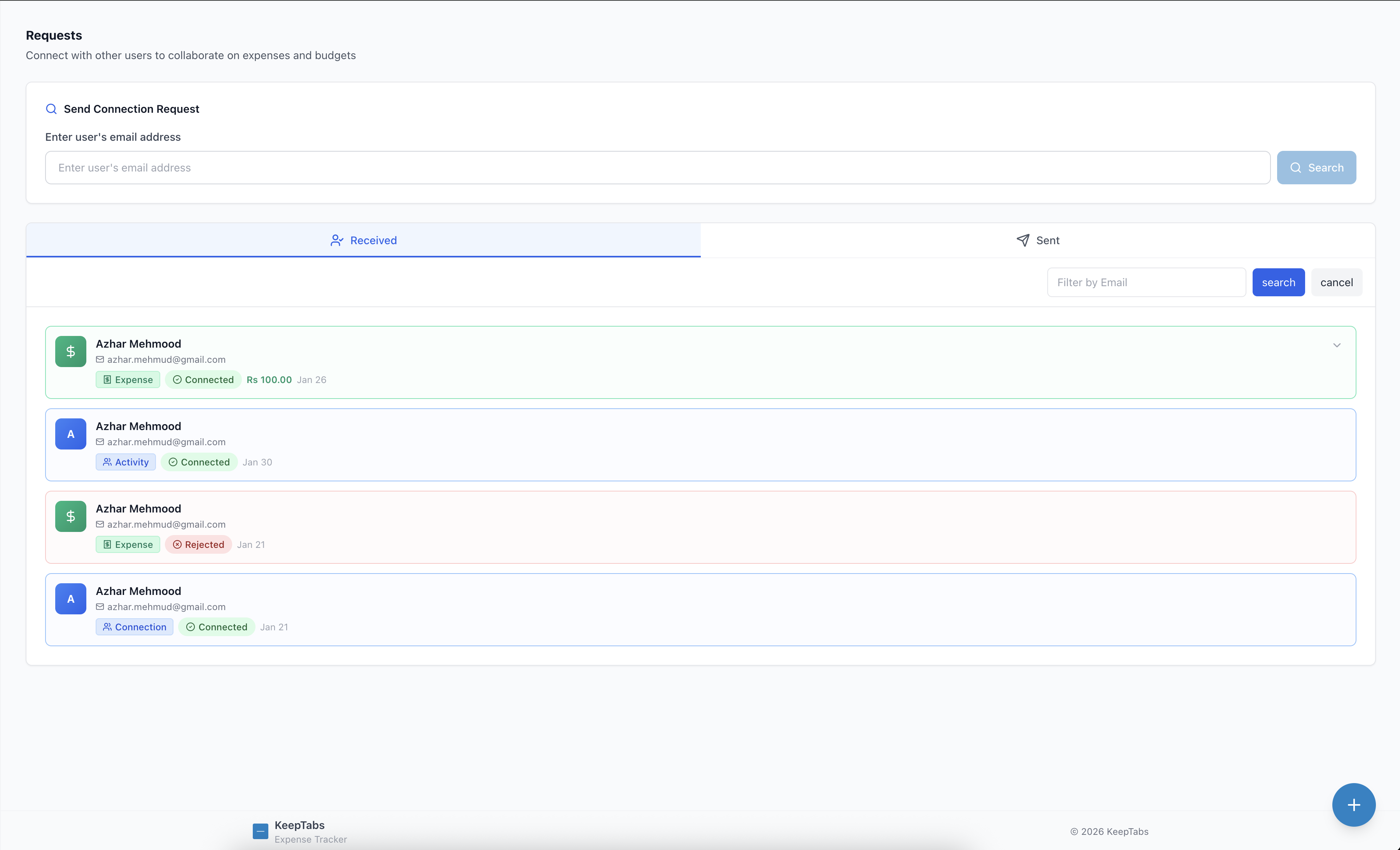
Invite Friends & Share Expenses
Send invites to friends, roommates, or family. Once they join, easily split expenses and track shared activities together.
- ✓ Easy email invitations
- ✓ Manage contacts and connections
- ✓ Collaborative expense sharing
Getting Started is Effortless
From setup to insights in minutes, not hours
Sign Up & Connect
Create your account in 30 seconds. Add your banks, credit cards, and set up categories that match your life—no complex configuration needed.
Track Everything
Add expenses on-the-go with lightning-fast entry. Split bills with friends, schedule recurring payments, and watch your balances update in real-time.
Get Insights
Instantly see where your money goes with beautiful charts. Build custom reports, track budget progress, and make smarter financial decisions with confidence.
Loved by Users Worldwide
"Finally, an expense tracker that doesn't feel like work. The split bills feature saved me hours tracking group trips!"
"The custom reports builder is a game-changer. I can slice my spending data any way I need for budgeting and taxes."
"Best $1/month I spend. Clean interface, fast, and actually helps me stick to my budget. Love the forecasting!"
Take Control of Your Finances Today
Stop wondering where your money went. Start making informed decisions with clear insights.
No credit card required • Cancel anytime • Export your data
Why KeepTab Stands Out
Built for people who value accuracy, speed, and privacy
Lightning Fast Entry
Keyboard shortcuts, typeahead search, and smart defaults mean you can log expenses in under 5 seconds. No clicking through endless menus or forms.
Privacy-First Design
Your data is encrypted, never sold, and always exportable. We collect only what's needed to make KeepTab work—nothing more.
Server-Side Aggregation
Unlike spreadsheets, KeepTab aggregates your data automatically on the server. Your monthly summaries and charts are always accurate—no manual work.
Transparent Pricing
Starting at just $1/month with no hidden fees. Powerful features without enterprise pricing. Pick monthly, 6-month, or yearly—whatever fits your budget.
Simple, Honest Pricing
Choose the plan that works for you. All features included.
- ✓ All features included
- ✓ Unlimited transactions
- ✓ Cancel anytime
- ✓ All features included
- ✓ Unlimited transactions
- ✓ Save 17% vs monthly
- ✓ All features included
- ✓ Unlimited transactions
- ✓ Save 17% vs monthly
All plans include full access to every feature. No tiers, no upsells, no surprises.
Frequently Asked Questions
Everything you need to know about KeepTab
How does KeepTab differ from spreadsheets? ▼
Can I export my data? ▼
Is my financial data secure? ▼
Can I split expenses with friends or roommates? ▼
Do you support multiple currencies? ▼
Is there a free trial? ▼
Can I cancel my subscription anytime? ▼
What makes KeepTab different from other expense trackers? ▼
Ready to Master Your Money?
Join thousands of users who've taken control of their finances with KeepTab.
Start Your Free Trial14-day free trial • No credit card required • Export your data anytime